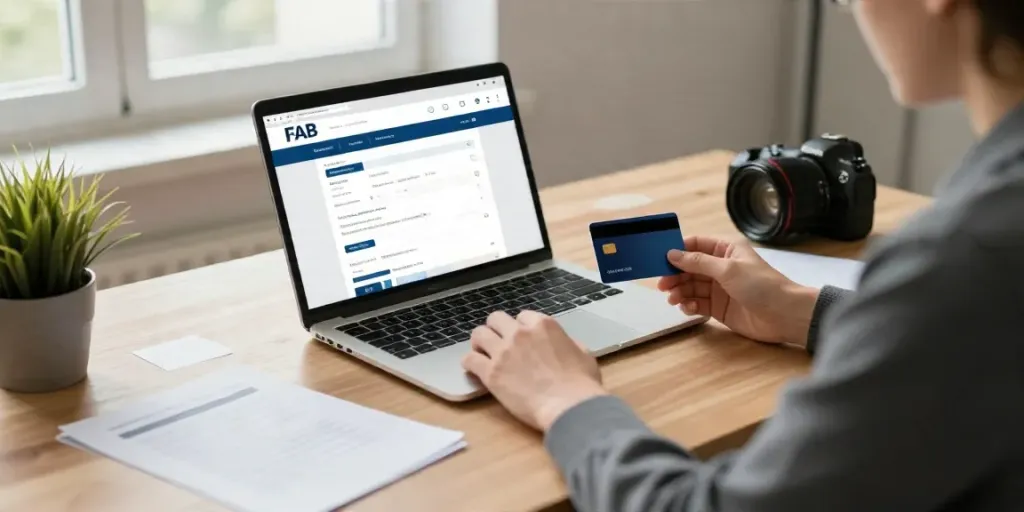
Understanding FAB Debit Card Management
The FAB Debit Card is a crucial financial tool for customers of the First Abu Dhabi Bank (FAB), providing access to a wide range of banking services and features. However, there are times when cardholders may need to deactivate their debit card for security reasons or personal financial management. Understanding how to effectively manage and deactivate a FAB Debit Card is essential for all users. When exploring options, How to Deactivate FAB Debit Card provides comprehensive insights into the steps and considerations involved in this process.
What is a FAB Debit Card?
A FAB Debit Card allows users to access their bank accounts directly for transactions, including purchases and withdrawals. Linked to the user’s bank account, it provides convenient access to funds, enabling seamless transactions both domestically and internationally.
Key Features of FAB Debit Cards
- Contactless Payments: Enjoy quick and convenient payments through contactless technology.
- Global Acceptance: Use your FAB Debit Card worldwide wherever Visa is accepted.
- Online Transactions: Shop online securely with your card, benefiting from enhanced fraud protection.
- Cash Withdrawal: Withdraw cash from ATMs nationally and internationally.
User-Friendly Management Tools
FAB provides various tools to help users manage their debit cards effectively. This includes online banking access and a mobile app that allows cardholders to track transactions, set spending limits, and deactivate their cards if necessary.
Step-by-Step Guide on How to Deactivate FAB Debit Card
When it comes to deactivating your FAB Debit Card, there are several methods available to cater to user preferences. Each method is designed to be straightforward and user-friendly, ensuring that you can effectively manage your financial tools.
Using the Mobile Banking App
- Open the FAB Mobile Banking app on your device.
- Log in to your account using your credentials.
- Navigate to the ‘Card Management’ section.
- Select the debit card you wish to deactivate.
- Tap on the ‘Block Debit Card’ option and confirm your action.
Online Banking Portal Method
- Visit the FAB online banking website.
- Log in using your user ID and password.
- Go to the ‘Cards’ section in your account dashboard.
- Select the card you want to deactivate.
- Choose the option to block or deactivate the card, and follow the prompts to confirm.
Contacting Customer Support
If you prefer to speak with someone directly, contacting FAB’s customer support can be an effective method to deactivate your card. You can reach out via their hotline or visit a physical branch for personalized assistance.
Common Challenges When Deactivating a FAB Debit Card
While the process of deactivating your FAB Debit Card is designed to be easy, users may encounter a few challenges along the way. Recognizing these issues in advance can help you navigate the process more smoothly.
Unexpected Fees and Charges
Some users report unexpected fees when attempting to deactivate their cards, particularly if their account is linked to ongoing services or subscriptions. Ensure to review any potential charges that may apply before taking action.
Miscommunication with Customer Service
It's essential to clearly communicate your request when dealing with customer support. Misunderstandings can lead to delays or incorrect actions regarding your card status.
Understanding Bank Policies
Each bank may have specific policies regarding card deactivation. Familiarize yourself with these policies to avoid confusion and ensure a smoother experience.
Best Practices for Managing Your FAB Debit Card
Managing your FAB Debit Card involves not just knowing how to deactivate it but also effectively using it for your financial needs. Here are some best practices to consider:
Regular Monitoring of Transactions
Check your account statements regularly to keep track of transactions. This helps in identifying any unauthorized charges and managing your spending effectively.
Setting Up Alerts and Notifications
Utilize account alerts to stay updated on transactions, balance thresholds, and more. Notifications can help you manage your finances proactively.
When to Consider Card Deactivation?
Consider deactivating your debit card if you suspect fraud, if your card is lost or stolen, or when you are transitioning to a different banking solution.
Future Trends in Banking: What to Expect in 2026
The banking industry is evolving rapidly due to advancements in technology and customer service approaches. Here are a few trends that may shape the future as we approach 2026:
Growing Importance of Cybersecurity
With increasing digital transactions, banks are enhancing security measures to protect customer information more effectively. Expect robust security features as standard practice.
Advancements in Banking Apps
Future banking applications are likely to incorporate more artificial intelligence and machine learning, providing users with personalized banking experiences and faster service.
Customer-Centric Banking Solutions
As competition grows, banks are focusing on providing more comprehensive customer-centric services, such as tailored financial advice and customized banking products.
What are the Benefits of Deactivating Your FAB Debit Card?
Deactivating your FAB Debit Card can have several benefits, including enhanced security for your finances, the ability to sign up for a new card with better features, and limiting financial exposure in case of theft or loss.
How to Reactivate Your FAB Debit Card?
If you decide to reactivate your card, you can do so through the FAB customer service hotline or the banking app, depending on the options available. Make sure all your details are verified for a smooth reactivation process.
Are There Alternatives to Deactivation?
Instead of deactivation, consider temporarily blocking your card. This action can provide a layer of security while allowing you to retain access to your banking services.